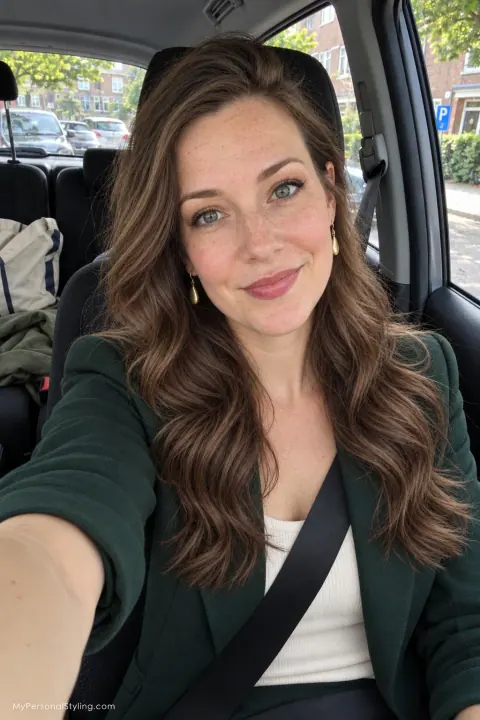
“Will this haircut suit me?” is hard to answer from a photo of someone else. A hairstyle preview can put a few possible shapes next to your own face before you make an appointment. The goal is to narrow your choices and explain what you like. Your hairstylist can then assess what is possible with your actual hair.
First, define what you will not give up
Before choosing a hairstyle, write three practical constraints. Examples include:
- “I need enough length to tie my hair back.”
- “I usually air-dry and can style for ten minutes.”
- “I wear glasses and want the front pieces to stay out of the frames.”
- “I want a change in shape but not in color.”
These constraints make a preview useful. A short cut may look appealing on screen while requiring more daily styling than you want. A fringe may depend on how your hair grows near the forehead. A photo cannot tell you how either will behave on a humid morning.
Take one clear starting photo
Use a current, unfiltered photo in even natural light. Keep the camera around eye level and show your hairline, length and shoulders. If your hair is tied back, take another image with it down. Keep the same original photo for every comparison so changes in lighting and camera angle do not influence your choice. Our photo preparation guide gives a fuller checklist.
Check the service's privacy policy before uploading your portrait. If you only want to gather options at first, you can ask an AI assistant for haircut categories without sharing an image.
Compare three specific changes
Choose one low-risk option, one moderate option and one bolder option. For shoulder-length hair, that might mean a different parting and face-framing shape, a shoulder-length layered cut, and a shorter bob. Keep color the same while comparing length; then keep length the same while comparing color. Changing everything at once makes it difficult to tell what you actually prefer.
Fotor's AI Hairstyle Changer describes a workflow in which you upload a front-facing photo and choose a preset, describe a style, or add a reference image. Its help center recommends a front-facing portrait with hair pulled back and the face visible. YouCam Makeup also describes a hairstyle changer in its app. Features, credits and access can change, so check each tool's current instructions before uploading.
For each preview, ask:
- Does my face still look like me, or did the tool change other features?
- Is the hair density or texture similar to mine?
- Can the front pieces still do what I need them to do?
- Would I like this shape on an ordinary workday, without professional styling?
Discard a preview that answers the wrong question. If the generated image adds thick hair or smooths away your natural texture, it may be attractive but a poor guide to the cut.
Turn the preview into a salon brief
Save your preferred image and your original photo. Mark the specific details you want: the longest point, shortest front piece, parting, outline around the face, and whether you want to keep your color. Then use this script:
I like the overall length and the soft shape around the face in this preview. I need to keep enough hair for a ponytail and usually air-dry. Which parts of this image are realistic for my texture and growth pattern? Can you show me the shortest point before cutting?
Our guide to explaining your next haircut to a stylist has a longer consultation checklist. Ask about maintenance, styling products and how the cut will grow out. A hairstylist who can examine your hair in person can give a better answer than a generated picture.
What if every preview looks wrong?
Try a clearer photo and a narrower request, such as “keep my length and color; change only the front layers.” If the tool continues to alter your face or invent hair, use reference images as conversation aids instead of treating them as predictions. You can also postpone the cut and test a new parting, clip placement or blow-dry first.
A prompt to find the right tool
I want to preview a haircut before visiting a salon. My hair is [length and texture]. I must keep [non-negotiables] and can spend [time] styling it. Find currently available tools that let me test haircuts on my own photo. Link to official product and privacy pages, distinguish photo previews from inspiration galleries, and tell me what each preview cannot verify.
An AI preview can help you choose a direction. The final decision should include how the cut will work with your real hair and your daily routine.