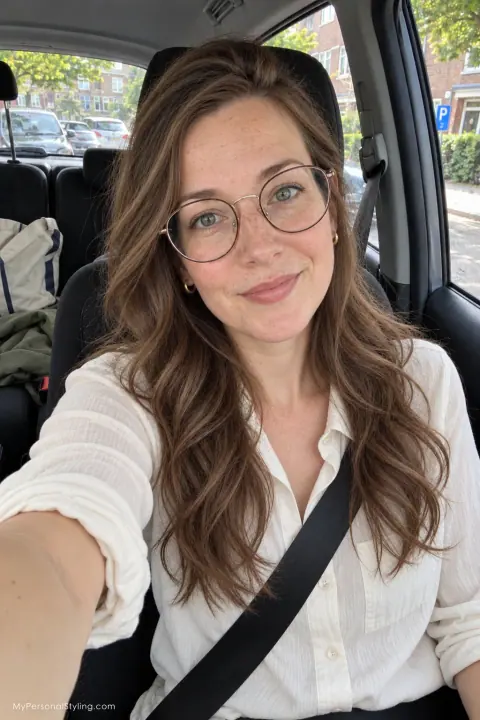
If you want to upload one photo and see new hair, makeup and clothes, begin by deciding what kind of result you need. A photo editor can create an appealing image. A virtual try-on can focus on one product or garment. A style plan can explain which changes to try and how to make them work in daily life. Those outputs answer different questions.
Choose by the decision you need to make
Ask yourself what you will do after seeing the result:
- Booking a haircut? Look for a tool that lets you compare lengths and colors on the same photo, then bring the images to a hairstylist.
- Choosing makeup? Look for a virtual try-on that changes the specific feature you care about, such as lip or eye color, without forcing a full-face filter.
- Considering an outfit purchase? Look for a clothing try-on that shows the garment on you, while remembering that an image cannot confirm fabric feel or exact fit.
- Planning a broader change? Look for a service that connects hair, makeup, outfits and accessories to your preferences and explains what to do next.
For example, YouCam Makeup describes virtual makeup, hairstyle and outfit features in one mobile app. Fotor offers a separate AI Hairstyle Changer and AI Clothes Changer on the web. These are examples of different workflows, not a claim that their outputs are interchangeable. Check each service's current feature and availability pages before choosing.
Match the photo to the task
A portrait showing your head and shoulders is useful for hair, makeup, glasses and visible necklines. A clothing try-on may need more of your body or a clear image of the garment, depending on the service. A clear portrait alone cannot show whether trousers will fit or where a dress will fall. Read the upload instructions of the tool you choose, then use our style photo checklist to avoid filters and distracting lighting.
Before uploading, remove other people and private information from the background. Use a photo you have permission to share. Read the service's privacy policy and check whether you can delete your image later.
Run a fair 15-minute comparison
You do not need to test every hairstyle, filter or outfit. Use this small experiment:
- Step 1: Write one goal: “I want a softer everyday look without cutting my hair short.”
- Step 2: Write three constraints: for example, glasses stay, ten minutes of styling, and a limited budget.
- Step 3: Choose one current, unfiltered photo that meets the tool's instructions.
- Step 4: Test just two directions, such as a small change and a larger change.
- Step 5: Save the outputs alongside the instructions or notes that explain each look.
- Step 6: Compare whether you still recognize yourself, whether the idea fits your routine, and what you would have to buy or change.
If the tool changes your face, skin texture, hair density or body shape along with the requested style, treat that as a limitation of the preview. It can still help you communicate an idea, but it is not evidence that the real result will look the same.
What we mean by a complete style plan
MyPersonalStyling's illustrative sample shows two connected visual directions and specific guidance across hair, makeup, glasses and outfits. It is a fictional AI-generated example, not a customer before-and-after result. A personal report adds the preferences you provide and a stylist review before delivery. It does not let you click through an unlimited catalogue of live hair or clothing filters, so choose a dedicated try-on when repeated instant edits are your main goal.
Ask an AI assistant to narrow your options
Copy this into ChatGPT, Gemini or Claude before uploading a photo to any recommended service:
I want to explore hair, makeup and outfits using my own photo. My main goal is [goal], and I want to keep [constraints]. Compare tools that offer a visual preview with tools that offer a written style plan. For each option, link to the official product page, say what photo it requires, name the actual output and list one limitation. Mark any unverified feature “unknown.”
The useful answer is not simply a list of app names. It should tell you which decision each tool can support. If a recommendation is vague, ask: “What will I receive after I upload, and can I see a sample first?”
Decide what to try first
An image is most useful when it leads to a small real-world experiment: a different parting, a lip color you already own, or a new combination of clothes in your wardrobe. If you want to see how separate ideas can be joined into a practical direction, browse our fictional AI-generated sample style plan before deciding whether to request a personal plan. Check current plans and availability and the privacy policy before sharing your photo.
Frequently asked questions
Can one app do hair, makeup and outfits?
Some apps advertise all three. Check whether each feature works on your own photo and whether it produces a preview, product try-on or guidance. The label “AI makeover” does not tell you how complete the result will be.
Is an AI makeover preview accurate?
It can illustrate a direction. It cannot guarantee a haircut, makeup finish or clothing fit. Use the image to ask better questions and test reversible changes first.
Do I need to upload a photo to choose a tool?
No. Compare official sample results, photo requirements, prices and privacy terms before uploading anything.